Your Data, Your Control
Daybook ensures your customer data is secure and private. We don’t use or share your stored data—at the end of the day, it belongs to you.
The Vehicles Application in Daybook allows you to efficiently manage all your company's vehicles in one centralized location.
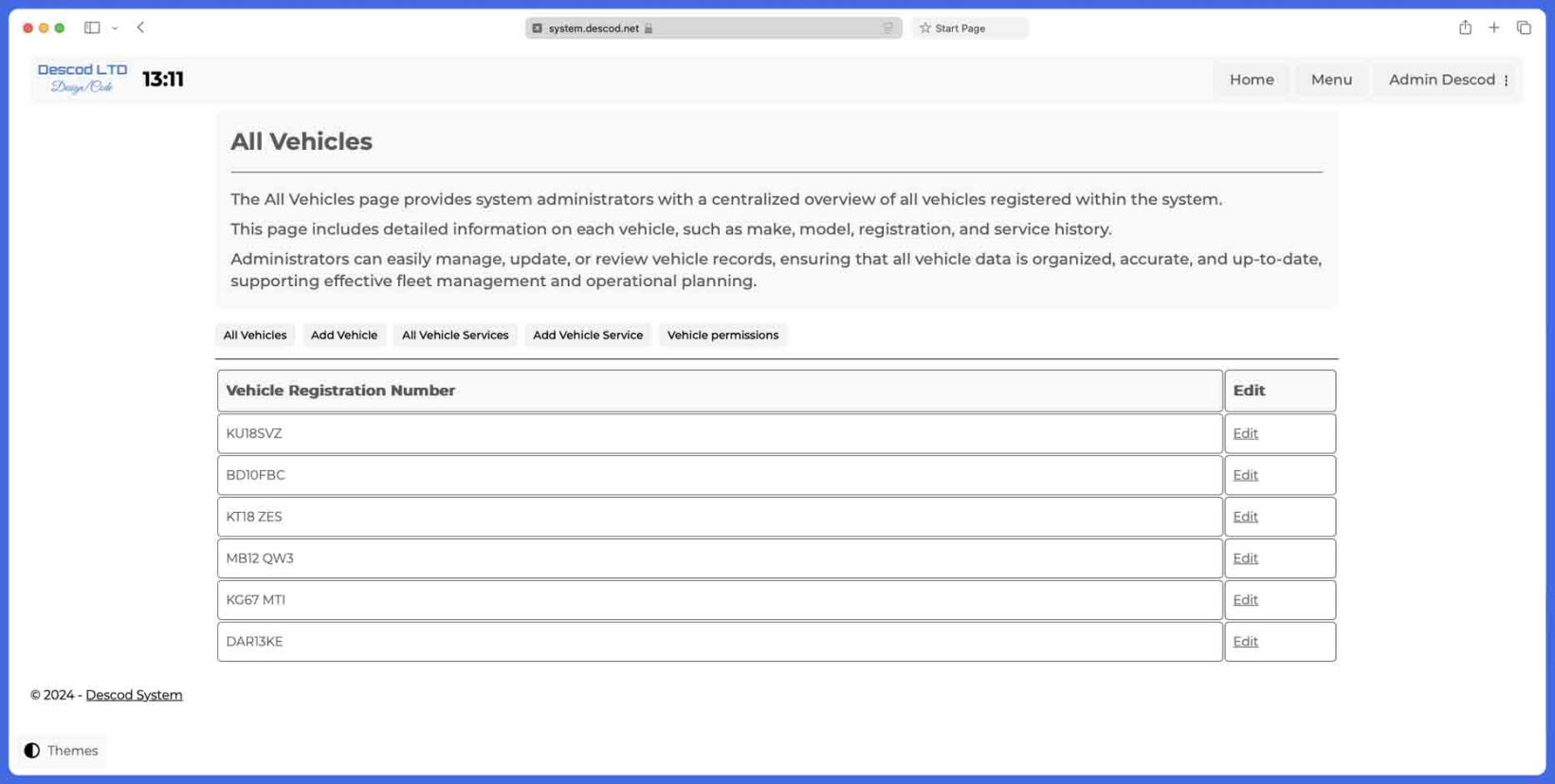
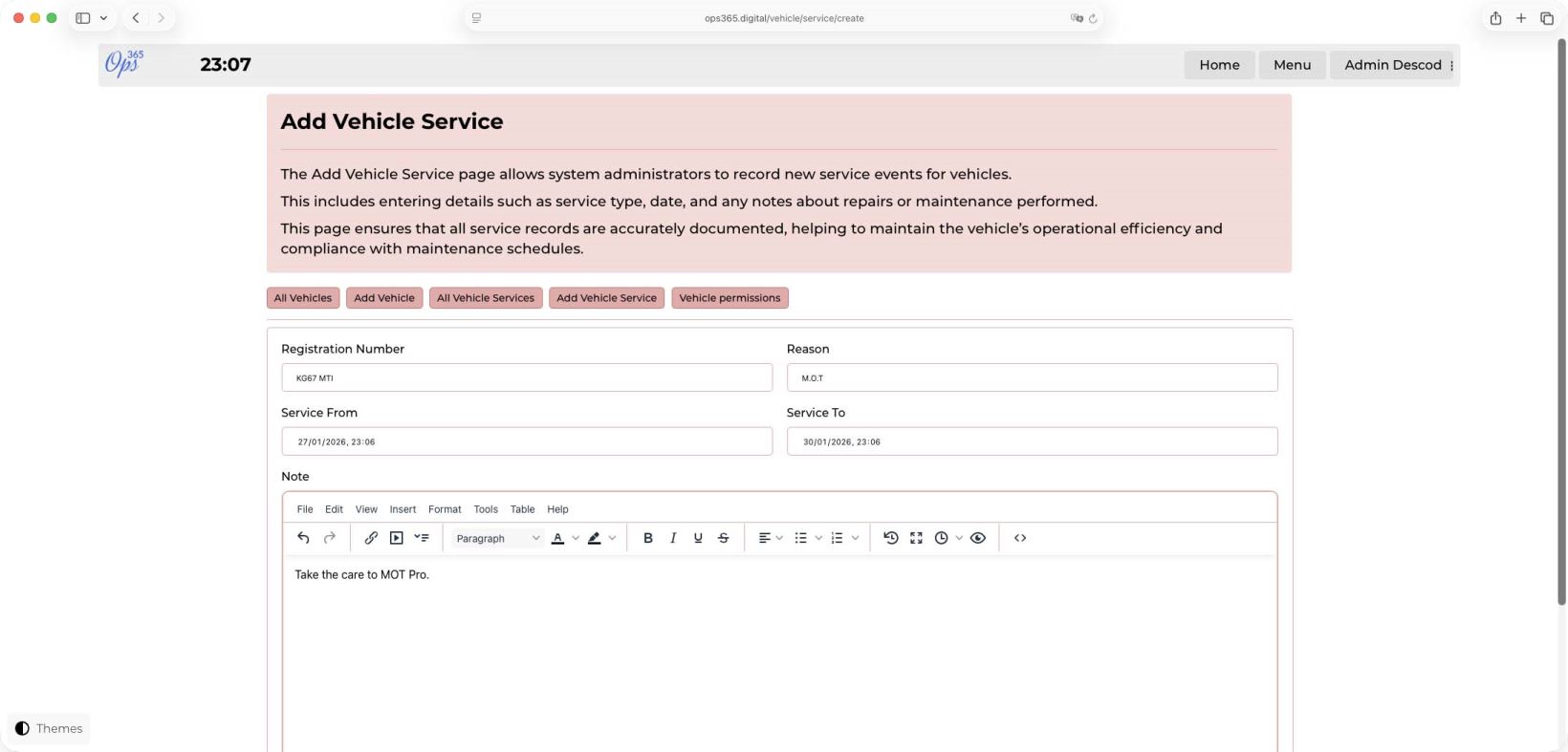
Start by registering each vehicle in the system with its registration number. Once saved, you can create entries for vehicle services, M.O.T. inspections, and other important maintenance tasks. This ensures you stay on top of key vehicle upkeep, reducing downtime and ensuring compliance.
If you're also using the Daybook application, any scheduled vehicle services will automatically appear in Daybook. This feature prevents vehicles undergoing maintenance from being assigned to new tasks, helping you manage your fleet more effectively.
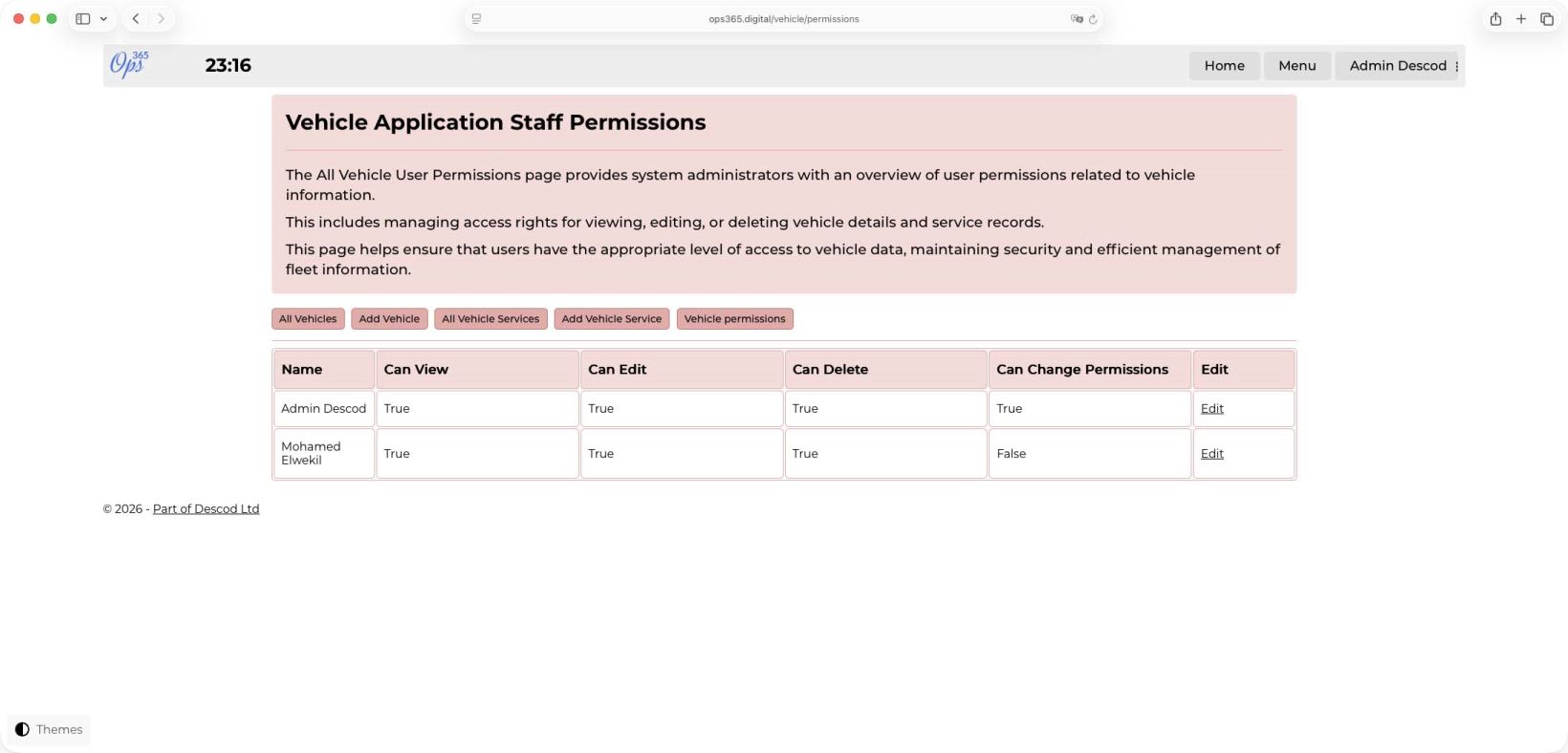
The Vehicles Application comes with comprehensive permission controls, allowing you to decide who on your team can view, edit, delete, or modify vehicle details and permissions. This gives you full control over staff access and responsibilities, ensuring only authorized personnel can manage vehicle-related data.
With Daybook System's Vehicles Application, you can streamline vehicle management, reduce operational disruptions, and maintain a well-organized fleet.
Daybook ensures your customer data is secure and private. We don’t use or share your stored data—at the end of the day, it belongs to you.
If you’re curious about how Daybook can help you manage your operations, we’re happy to offer a detailed walkthrough. Our team can work with you to demonstrate how each feature can streamline your daily processes.
Additionally, if you have specific requirements or ideas for new applications that could benefit your operations, we’re always open to feedback. Let us know, and we may incorporate your suggestions into future updates.
Daybook is designed to support and optimize your business operations, so you can focus on what matters most—growing your company.